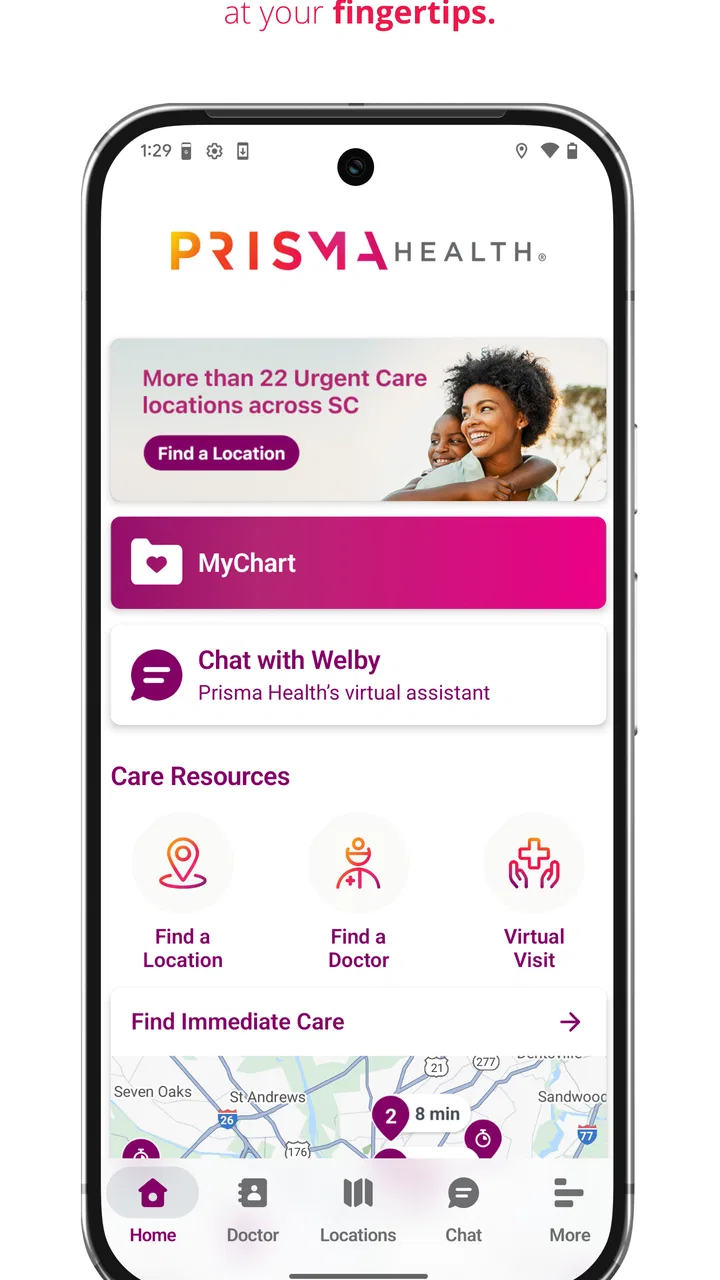
Prisma Health GO
- 4.3
- Rating
- 100.00K
- Installs
- Free
- Price

 Analysis by App-foxy
Finding the right department in a hospital is a very different problem from finding a shop or restaurant. Buildings can have several entrances, corridors may look alike, and stress makes even a familiar place harder to navigate. Prisma Health GO is a medical app from Prisma Health that focuses on that specific moment: helping visitors move through a hospital with step-by-step guidance rather than leaving them to interpret signs and floor maps on their own.
I see it as a practical companion for appointments, tests, outpatient procedures, and visits where arriving at the correct desk matters. It is free, rated for Everyone, and has reached over 100 thousand installs, so it is clearly aimed at everyday public use rather than a specialist audience. Its current release is version 3.9.0, and the app supports operating systems from version 10 onward.
The important question is not whether every hospital visitor needs another app. Most do not. The better question is whether your visit involves a large Prisma Health location, an unfamiliar route, or someone who may find hospital navigation tiring. In those situations, I think this focused tool can be more useful than a general map application, although it is not a replacement for reception staff, accessibility assistance, or emergency directions.
You May Also Like

 Blood Strike: 2.5 Anniversary
Blood Strike’s Loadouts Turn Every Drop Into a Tactical Gamble
A close look at Blood Strike’s custom loadouts: how fast access to signature weapons reshapes its battle royale rhythm, rewards preparation, and narrows the gap between fights.

 Pandora - Music & Podcasts
Pandora’s Music Is Easy to Start, but Harder to Recover
Pandora’s strength is its low-effort path from a seed to a station. Its weak spot is how much confidence it asks you to place in connection, setup, and quiet recovery.

 8 Ball Pool
 Is Built on Rivalries, Rematches, and Routine
A close look at the rivalries, rematches, shared routines, and unanswered safety questions that turn a quick pool match into a persistent mobile community.

 Samsung Music
’s Quiet Strength Is Playing What You Already Own
Its reach comes less from spectacle than from dependable access to a personal library. That simplicity is both the app’s strongest retention engine and its ceiling.

 AccuWeather: Weather Radar
AccuWeather Review: A Quick, Clear Forecast for Everyday Decisions
For everyday plans, the best forecast is the one you can understand quickly. AccuWeather makes rain timing, radar, and local conditions easy to act on, with a few trade-offs.

 Hill Climb Racing
Why Hill Climb Racing Still Turns Crashes Into One More Run
A tiny car, a bumpy hill and one more upgrade: Hill Climb Racing keeps resurfacing because its simple chaos makes every near-miss feel personal.
More From Our News Desk



How I would decide whether Prisma Health GO is worth installing
My first decision criterion would be the destination. This is not a general-purpose navigation app for getting across town, and I would not install it expecting the same experience as a standard driving, walking, or public-transport service. Its value begins once the problem becomes internal hospital navigation: identifying where to enter, which way to continue, and how to reach the right area without repeatedly stopping to ask for help.
That distinction is easy to overlook. A regular map app may get me to a hospital building, but the final part of a medical visit often happens after I leave the car or arrive by rideshare. The entrance shown on an outside map may not be the most useful entrance for my appointment. Prisma Health GO is designed around the hospital journey itself, which makes it a more relevant choice when the confusing part is inside the campus.
I would also consider who is holding the phone. If I am calm, early, and visiting a small clinic, ordinary signs may be enough. If I am accompanying an older relative, carrying paperwork, managing a child, or trying to avoid unnecessary walking before an appointment, a dedicated route can reduce mental effort. The app is particularly appealing when I want to look at directions before entering the building and avoid making the patient feel that we are lost.
There is another useful test: how much uncertainty can I tolerate? Hospital layouts change in practical ways even when the building itself stays the same. A temporary entrance, a construction barrier, or a closed corridor can make a carefully planned route less straightforward. I would treat the app as a strong starting point, not as permission to ignore signs or staff instructions. If the route on screen conflicts with a clearly posted hospital notice, the notice and a staff member should win.
The developer is Prisma Health, which gives the app a direct connection to the healthcare network it is intended to serve. That matters because hospital navigation is local by nature. A generic navigation company can provide excellent city maps, but it is not necessarily built around the internal arrangement of one health system’s facilities. I would still check the destination before leaving home, especially if my appointment message names a particular pavilion, clinic, or entrance.
The public rating is a 4.2 average from around 170 ratings, with more than 50 written reviews. I read that as encouraging but not conclusive. Navigation tools can feel excellent in one building and less useful in another, so a rating cannot tell me exactly how the app will behave at my destination. It does, however, suggest that the basic idea has been useful to a meaningful group of people.
The small preparation step that makes the biggest difference
I would install the app before the day of the appointment, not while standing outside the hospital. That gives me time to open it, find the relevant location, understand the route, and make sure the phone is charged. This is a simple habit, but it changes the experience from “I hope this works” to “I already know what I am looking for.”
I would also save the appointment details separately. A navigation app should not be the only place where I keep the time, department, physician, or check-in instructions. Medical messages often contain details that are more important than the route itself, and I would use Prisma Health GO alongside those instructions rather than expecting it to replace them.
For a companion, I would review the route together before walking. Step-by-step guidance is most helpful when the person using it knows the destination name and can recognize when the route has reached the correct area. If I am assisting someone with limited mobility, I would use the app to plan the general path, then confirm elevators, seating, and the best accessible approach with the facility.
Where the focused hospital approach works best
The biggest strength is focus. Prisma Health GO is not trying to solve every travel problem on a phone. It addresses the awkward final stretch of a healthcare visit, where a person may already be anxious and does not want to decode a large building from scattered signs. The store summary describes step-by-step hospital navigation, and that purpose comes through clearly in how I would use it: choose the relevant destination, follow the route, and check progress as I move.
That step-by-step structure is more useful than a static map for many visitors. A map can show relationships between rooms and corridors, but it often requires me to decide which turn comes next. When I am focused on an appointment, a sequence of instructions lowers the amount of planning I need to do while walking. The real benefit is reduced decision-making at the exact point where hospital layouts become stressful.
One realistic example is a morning imaging appointment. I may know the hospital address and still have no idea which entrance leads most directly to the imaging area. If I arrive with a family member who is uncomfortable walking long distances, I can check the route in advance, identify the intended starting point, and avoid wandering through the first lobby we see. If the app gets us close but the final desk is not obvious, I can show the destination to an employee instead of trying to describe a complicated route from memory.
Another scenario is accompanying a patient who has limited attention after a procedure. In that case, the app is useful before and after the appointment, but I would not expect the patient to manage it while tired or unwell. I would take responsibility for following the directions and keep the phone available for staff calls. The app can support the companion’s job without becoming another task for the person receiving care.
I also like the possibility of using it as a confidence tool rather than staring at it continuously. I would check the next turn, put the phone down, and look for signs or landmarks. That approach avoids walking while distracted and gives the surrounding environment a chance to confirm that I am still on the right path. In a hospital, awareness matters more than speed.
Useful habits beyond simply following the route
First, I would use the app to plan the arrival sequence, not only the corridor sequence. Before leaving, I would compare the appointment instructions with the route’s starting point and decide whether I need extra time for parking, drop-off, check-in, or security. The app may solve indoor direction-finding, but it does not remove the other stages of a medical visit.
Second, I would take a screenshot or write down the destination name before entering a low-signal area if the app allows me to view the route in advance. I am not assuming that every part of the experience works without connectivity; I simply prefer not to depend on a live screen at every turn. Having the destination written down also makes it easier to ask a staff member for help if the route becomes unclear.
Third, I would use the route to identify a natural regrouping point. If I am with several people, we might pause near the main lobby or a prominent hallway junction rather than splitting up. This is a small but valuable workflow: navigation is not only about the person holding the phone, but also about keeping the group together in a busy medical setting.
Fourth, I would treat any unusual instruction as something to verify. If the app directs me toward an area that appears closed, restricted, or inconsistent with current signs, I would stop and ask. Digital guidance is helpful because it is consistent and easy to follow, but hospital operations can change for reasons that a route cannot explain. That is a limitation of the category, not a reason to abandon the app.
What the app does not replace
Prisma Health GO cannot replace a conversation with reception when I have the wrong department, an appointment that has moved, or a question about preparation. Navigation answers “how do I get there?” It does not necessarily answer “am I in the right place for this appointment?” I would keep the appointment message and any check-in directions available.
It is also not a substitute for emergency help. Someone in immediate medical danger should use the appropriate emergency service or alert nearby staff rather than opening a navigation tool. Likewise, a person who needs a wheelchair, interpreter, escort, or other support should request that assistance directly. A route can reduce confusion, but it cannot assess a person’s condition or provide hands-on care.
Accessibility is another area where I would be realistic. A route that looks short on screen may still involve doors, slopes, elevators, or crowded spaces that matter greatly to a particular visitor. I would use the app to understand the general direction, then confirm the most suitable path with Prisma Health personnel. This is especially important when the patient cannot comfortably change course after starting the walk.
When a usual alternative may be a better fit
A general map app is the better choice when my main challenge is reaching the hospital from home. It can help with driving, walking outside, public transport, traffic, and nearby landmarks. Prisma Health GO is more specialized, so I would often use both categories together: a familiar map for the trip to the campus and the hospital-focused app for the interior route.
Printed directions may be better for someone who does not want to use a smartphone. A paper appointment letter, a note from a family member, or a photo of a building map can be easier to share and less distracting. If I am helping someone who rarely uses apps, I would not force a digital solution simply because it is available. The best navigation method is the one that the patient can understand and use safely.
Reception staff remain the better option when the destination is uncertain or the visit has changed. If I have been told to report to a different desk, if a clinic has moved, or if I am unsure whether I need registration first, asking a person is faster than repeatedly recalculating a route. The app is strongest for predictable movement through a known hospital setting, not for resolving administrative confusion.
For repeated visits to the same department, I may eventually prefer my own routine. After visiting once, I might remember the entrance, elevator, and check-in desk well enough that the app adds little. In that situation, its value shifts from active guidance to backup reassurance. I would open it when bringing someone new, visiting a different area, or returning after a long gap.
There is also a trade-off between specialization and coverage. A hospital-specific tool can be more relevant inside its intended network, but it is not something I would expect to use for another healthcare system, a private office unrelated to Prisma Health, or an ordinary destination. If my life involves many different hospitals, a general mapping service plus printed appointment instructions may be more convenient overall.
Understanding the cost of switching
Because the app is free, the financial barrier is low. The real cost is attention: installing it, learning where to begin, checking the destination, and carrying a charged phone. For a single visit, that setup may feel unnecessary if the hospital is familiar. For an unfamiliar appointment, the preparation can pay off by reducing wrong turns and the need to stop repeatedly.
Switching from a general map app is not an all-or-nothing decision. I would keep my usual map for the outside journey and add Prisma Health GO only when the appointment calls for internal guidance. That makes the app easy to test without changing my everyday navigation habits. If it does not help at a particular facility, I have lost little beyond the few minutes spent checking it.
Switching from paper directions has a different cost. A phone can offer more active guidance, but paper is easier to hand to another person and does not depend on battery life. My practical compromise would be to keep the appointment details on paper or in a message while using the app for movement. That combination covers both the administrative and navigational sides of the visit.
The age rating of Everyone makes the app suitable for a broad audience, but suitability is not the same as independence. A child may be allowed to use it, yet a child should not be responsible for navigating a medical appointment alone. I would judge use by the patient’s condition, confidence, and need for assistance rather than by the age label.
Prisma Health GO was released on April 12, 2019, and its present version is 3.9.0. Those details tell me it is an established app with ongoing versioning rather than a brand-new experiment. They do not remove the need to check the route on the day, because real buildings and appointments can change. Still, I would be more comfortable trying an established navigation tool than relying on an unmaintained one.
My recommendation for different kinds of visitors
I recommend Prisma Health GO to anyone attending an unfamiliar Prisma Health hospital and feeling unsure about the indoor route. I especially see value for companions, people who want to prepare before arriving, and visitors who prefer step-by-step guidance over interpreting a large map. Its free price makes it reasonable to try before a significant appointment, provided the user treats it as assistance rather than the sole source of instructions.
I would be more selective for a routine visit to a small, familiar clinic. If I already know the entrance and check-in desk, opening another app may add friction instead of removing it. I would also choose a general map app first when the difficult part is driving to the campus, not moving through it.
My strongest recommendation is to combine the tool with a simple backup plan: keep the appointment message available, arrive with enough time to ask for help, and follow current signs if they disagree with the screen. Before leaving home, I would look up the destination, review the first part of the route, charge the phone, and tell my companion what department we are seeking. Those steps make the app more dependable in real life.
Overall, I find the app worthwhile because it tackles a narrow problem with a clear purpose. It will not manage a medical visit, answer clinical questions, or replace a human guide. What it can do is make the internal journey less intimidating when the building is unfamiliar. For a first visit to a large Prisma Health facility, I would install it in advance; for a familiar clinic or an unrelated hospital, I would use a simpler alternative.
That is the decision I would give a friend: use Prisma Health GO when hospital wayfinding is the problem, keep a general map for the trip outside, and keep staff instructions in charge whenever conditions on site differ from the digital route. Used with that expectation, Prisma Health GO is a sensible, focused medical utility rather than an app that needs to be open for every appointment.
FAQs for Prisma Health GO
01What is Prisma Health GO and what features does it offer?
Prisma Health GO is a comprehensive mobile application designed to enhance patient engagement with healthcare services. It offers features such as appointment scheduling, access to medical records, virtual consultations, and real-time notifications about health updates. The app also provides location services to help users find nearby medical facilities and specialists.
02Is Prisma Health GO available for both Android and iOS devices?
Yes, Prisma Health GO is available for download on both Android and iOS platforms. Users can find the app on the Google Play Store for Android devices and the Apple App Store for iOS devices. This ensures a wide range of compatibility across different smartphones and tablets.
03Does Prisma Health GO ensure the security of my personal health information?
Prisma Health GO prioritizes user privacy and data security. The app uses advanced encryption protocols to protect personal health information and complies with healthcare regulations such as HIPAA. Users can confidently access their medical records and communicate with healthcare providers, knowing their data is secure.
04Can I use Prisma Health GO for virtual doctor consultations?
Yes, Prisma Health GO supports virtual consultations, allowing users to connect with healthcare providers through video calls. This feature is especially useful for non-emergency situations, providing convenience for those who may not be able to visit a medical facility in person. Ensure a stable internet connection for best performance.
05How do I set up and manage my appointments using Prisma Health GO?
Setting up and managing appointments with Prisma Health GO is straightforward. After logging in, navigate to the appointments section, where you can view available slots, schedule new appointments, and receive reminders. The app also allows users to reschedule or cancel appointments as needed, making healthcare management more flexible.
Pros
- User-friendly interface for easy navigation.
- Real-time updates on wait times.
- Access to medical records and appointments.
- Integration with wearable health devices.
- Secure messaging with healthcare providers.
Cons
- Limited availability in certain regions.
- Requires a stable internet connection.
- Some features may need manual updates.
- Occasional app crashes reported by users.
- Limited customization of notifications.

Prisma Health GO
Gallery